Tutorials
Learn 2D Lip Sync Studio Step by Step
Start with your first lip-sync project, then learn how to import audio, customize mouth shapes, preview your character, and fine-tune timing.
Start Here
Create Your First Lip Sync
New to 2D Lip Sync Studio? Follow the complete workflow from imported audio through editing and export.
Start the Tutorial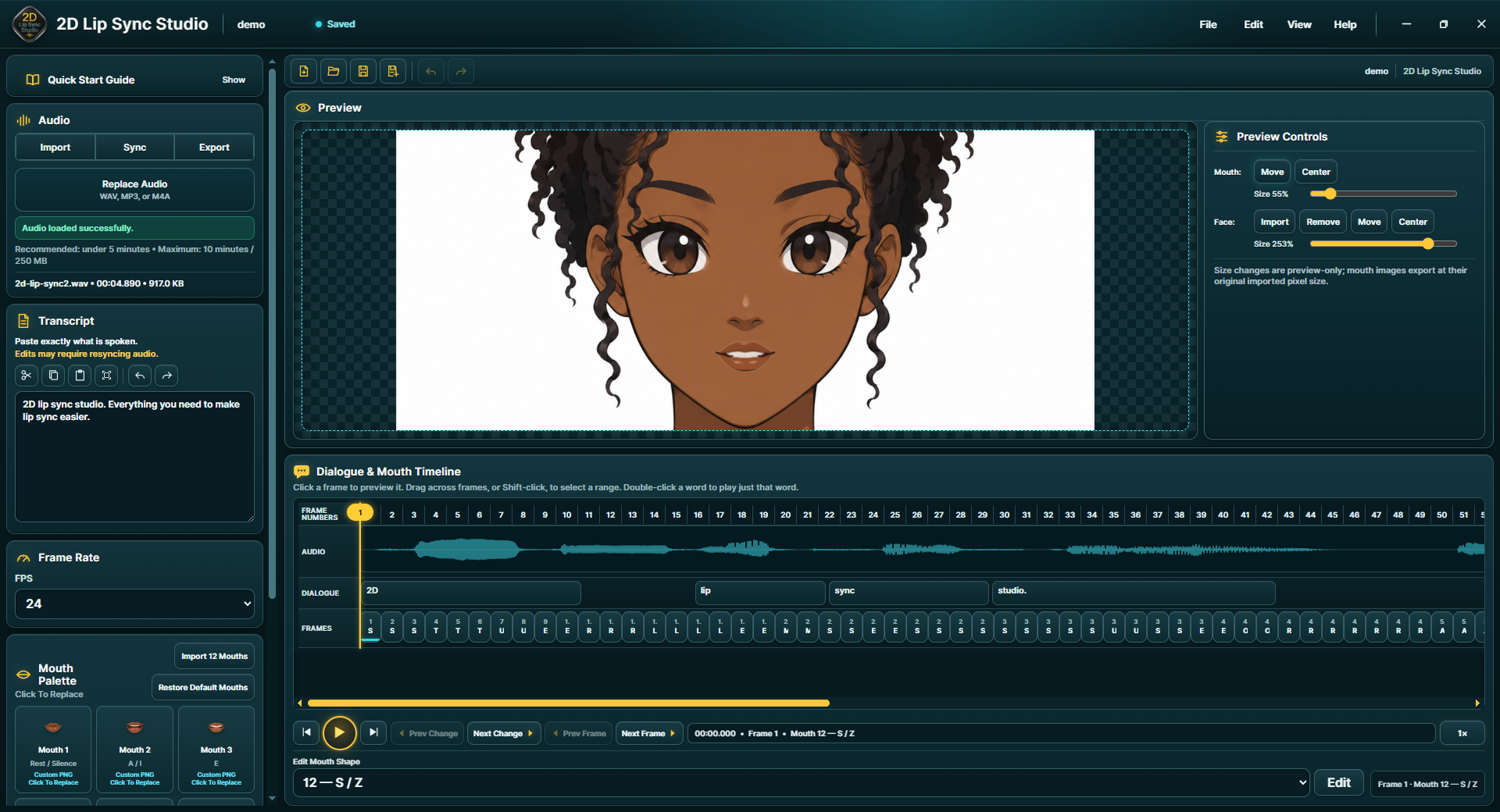
Tutorial Library
Choose What You Want to Learn
Each tutorial focuses on one part of the 2D Lip Sync Studio workflow.
Your First Lip Sync Project
Learn the complete basic workflow from audio import through timing review.
Start HereImport Audio & Add Dialogue
Load your voice recording and enter the words exactly as they are spoken.
AudioUse Custom Mouth Shapes
Replace the default mouth artwork with PNGs created for your own character.
CustomizationSet Up the Character Preview
Load your character artwork and position the mouth for previewing the lip sync.
PreviewReview & Adjust Timing
Select exact animation frames and change the mouth shape assigned to each frame.
EditingCommon Questions
Find quick answers about supported audio, mouth shapes, local processing, and more.
FAQ